UI / UX Design
Smootify(Web)
A design concept highlighting the smooth integration of Shopify and Webflow via a fictional tool called Smootify, focusing on clean design and user-friendly experience for eCommerce creators.
Year :
2025
Project Duration :
3 weeks
Problem :
Many businesses want the design flexibility of Webflow but also require Shopify’s powerful e-commerce backend. Traditionally, merging these two platforms is challenging, involving custom coding, third-party integrations, and technical expertise. This creates barriers for small businesses and designers who want seamless store creation without excessive complexity.
Content :
The project page was structured into clear sections:
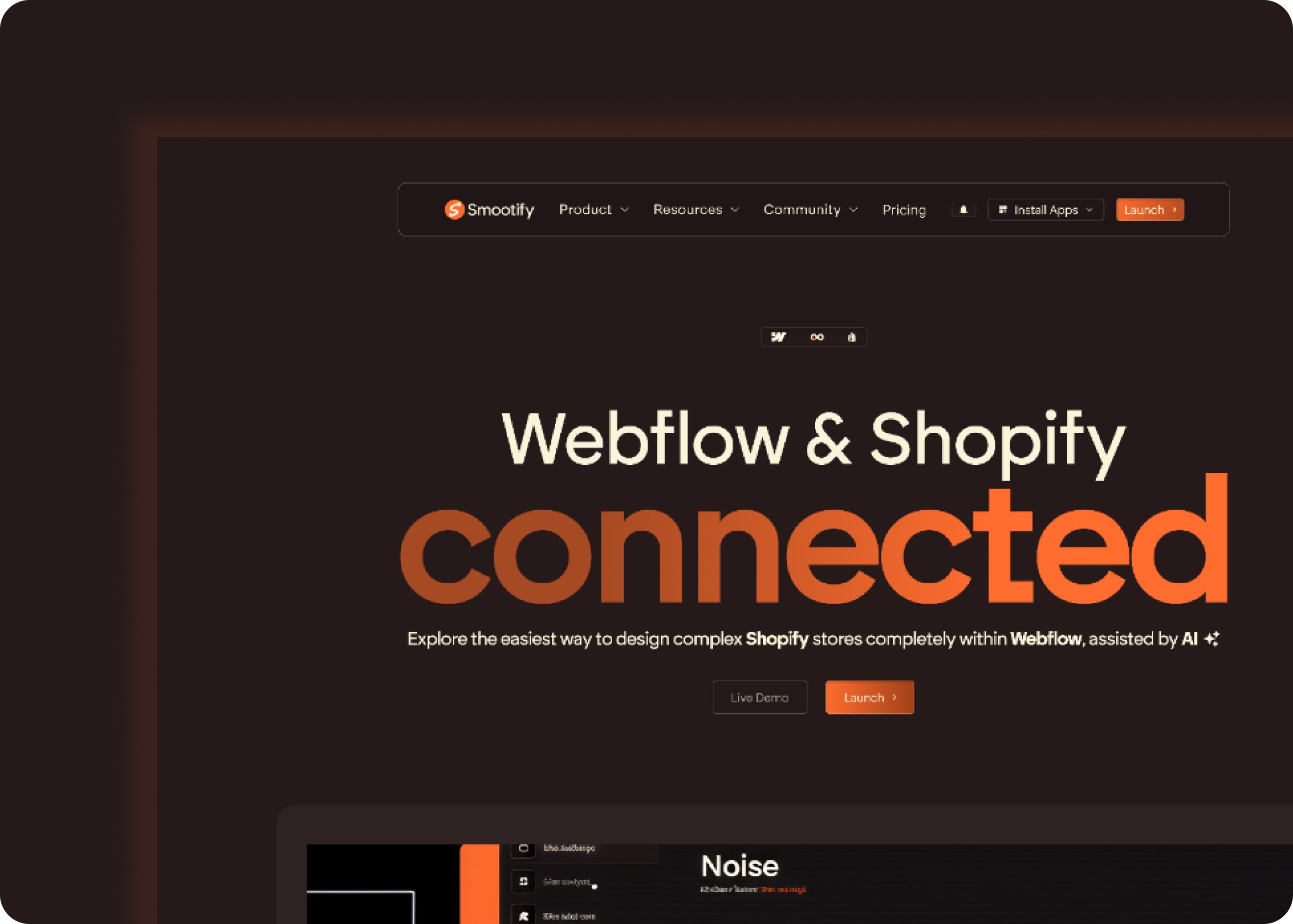
Hero Section:
Title: “Webflow & Shopify Connected”
Value proposition: Seamless integration of Shopify within Webflow.
Call-to-actions: Learn More and Get Started.
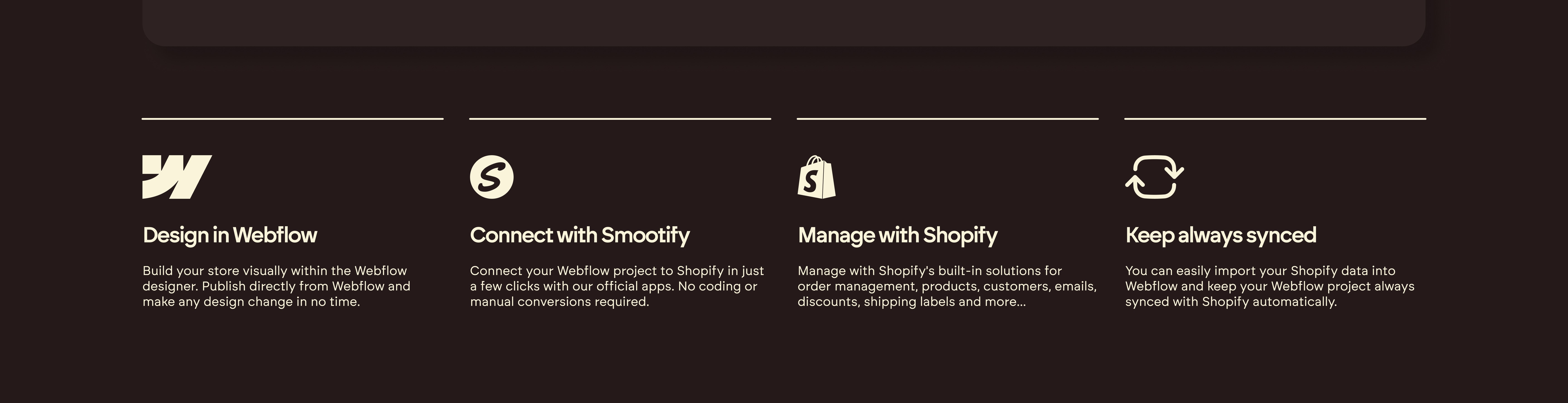
Showcase Section:
Visual demo of Smootify in action.
Headline: “Connect with Smootify”.
Benefits: Design in Webflow, connect with Smootify, manage with Shopify, keep everything synced.
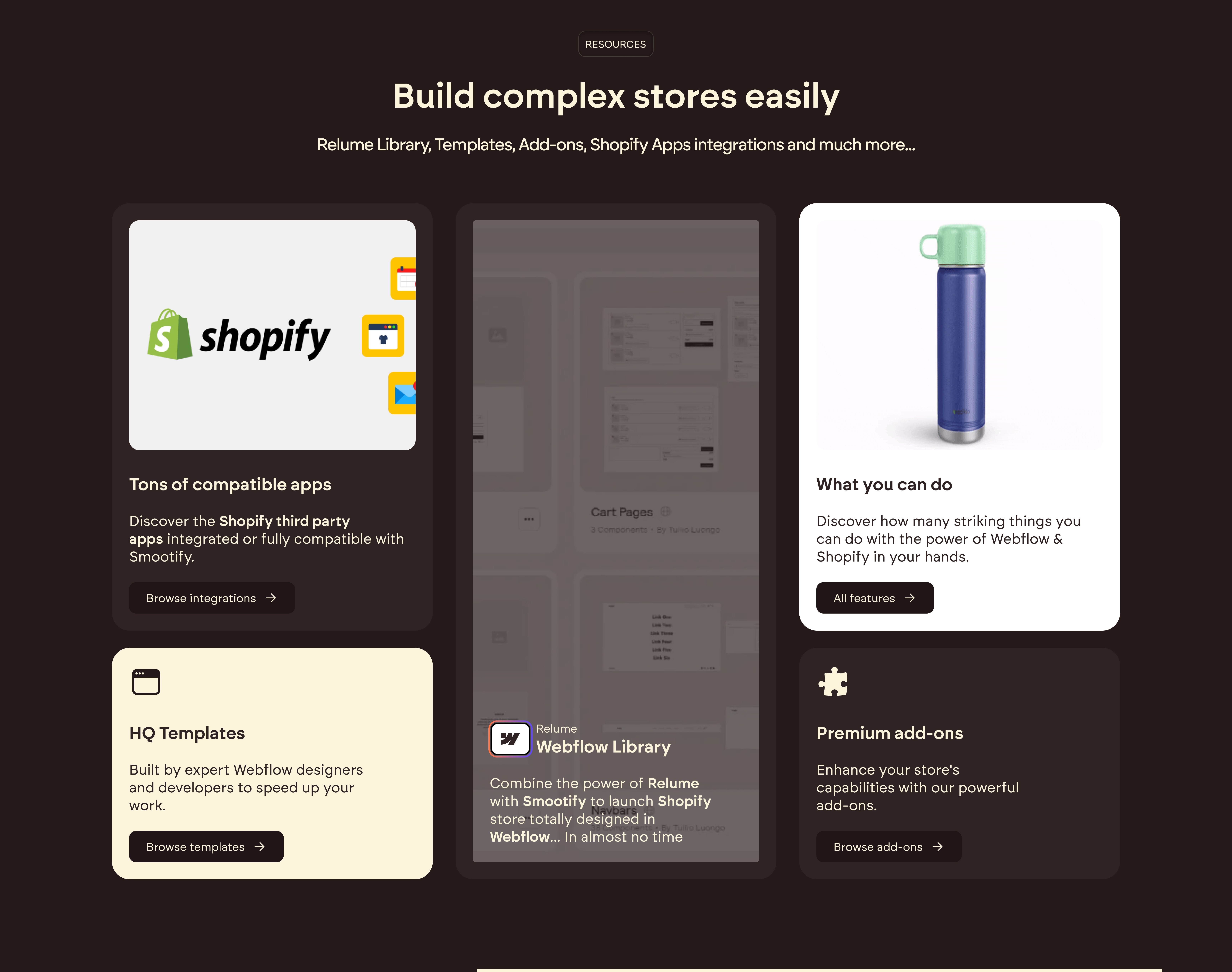
Features Section:
Highlights ability to build complex stores easily.
Includes Shopify integration, HQ templates, Webflow library, and premium add-ons.
Setup Guide Section:
Step 01: “Launch the Shopify App into your store”.
Visual walkthrough of app installation.
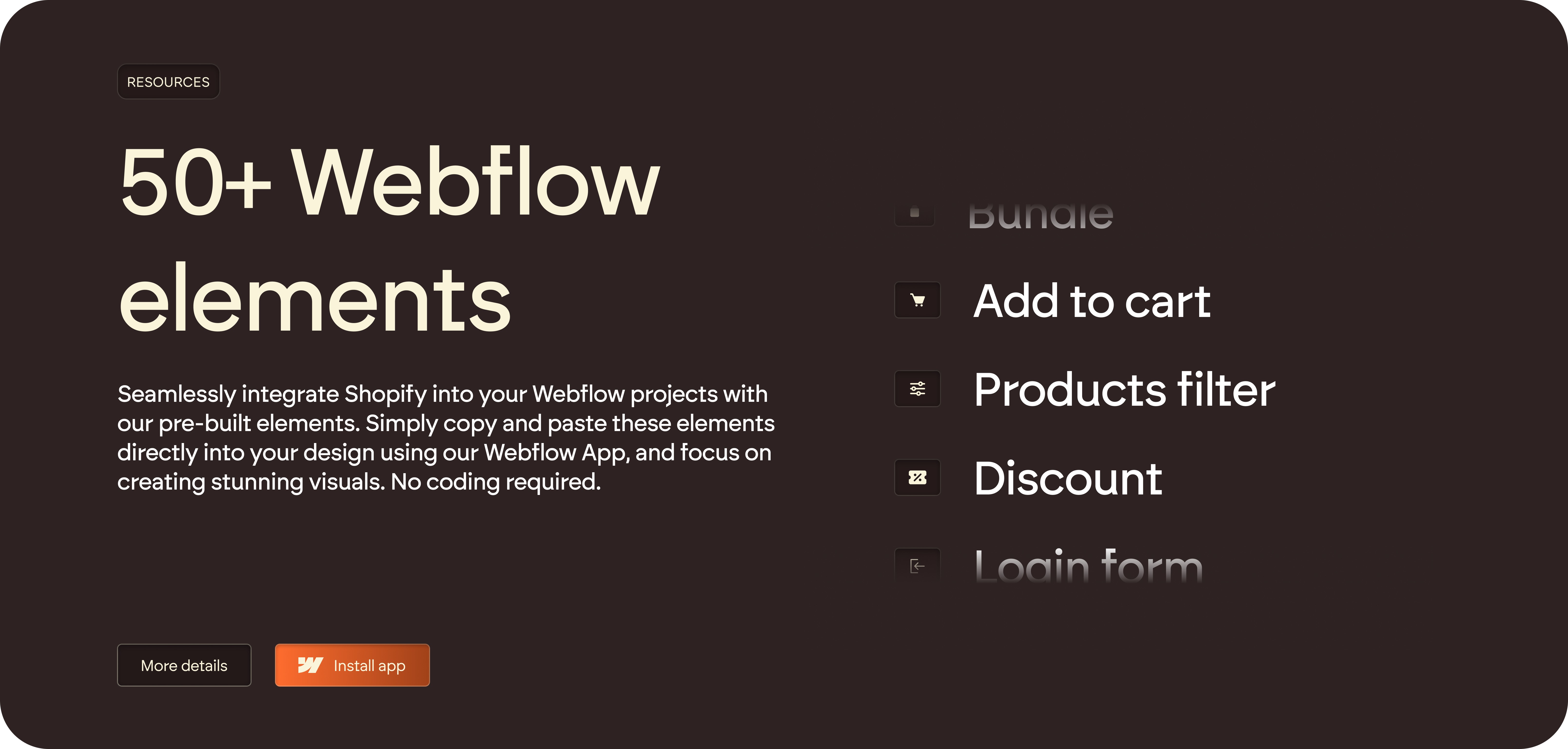
Webflow Elements Section:
Over 50+ Webflow elements for store creation.
Examples: Add to cart, product filter, discount, login form.
Challenge :
While designing the interface, I faced several challenges:
Content Density: The product had many features (integration steps, templates, elements, add-ons). The challenge was avoiding information overload while still giving enough detail.
Visual Hierarchy: Balancing technical instructions (like Shopify app installation) with attractive visuals so users weren’t overwhelmed by text-heavy content.
Consistency in Branding: Making sure the dark theme, orange highlights, and typography stayed consistent across sections without sacrificing readability.
Guiding User Flow: Ensuring the call-to-actions (e.g., Learn More, Get Started) were visible and positioned strategically to drive conversions.
Balance Between Designers & Store Owners: The page needed to appeal to two different audiences — Webflow designers who care about creativity, and Shopify store owners who care about functionality.
Summary :
This project showcases the integration of Webflow and Shopify using Smootify, a tool designed to simplify e-commerce workflows. The landing page highlights how designers and developers can build complex Shopify-powered online stores directly inside Webflow, combining the creative freedom of Webflow with the robust e-commerce functionalities of Shopify.
More Projects


UI / UX Design
Smootify(Web)
A design concept highlighting the smooth integration of Shopify and Webflow via a fictional tool called Smootify, focusing on clean design and user-friendly experience for eCommerce creators.
Year :
2025
Project Duration :
3 weeks
Problem :
Many businesses want the design flexibility of Webflow but also require Shopify’s powerful e-commerce backend. Traditionally, merging these two platforms is challenging, involving custom coding, third-party integrations, and technical expertise. This creates barriers for small businesses and designers who want seamless store creation without excessive complexity.
Content :
The project page was structured into clear sections:
Hero Section:
Title: “Webflow & Shopify Connected”
Value proposition: Seamless integration of Shopify within Webflow.
Call-to-actions: Learn More and Get Started.
Showcase Section:
Visual demo of Smootify in action.
Headline: “Connect with Smootify”.
Benefits: Design in Webflow, connect with Smootify, manage with Shopify, keep everything synced.
Features Section:
Highlights ability to build complex stores easily.
Includes Shopify integration, HQ templates, Webflow library, and premium add-ons.
Setup Guide Section:
Step 01: “Launch the Shopify App into your store”.
Visual walkthrough of app installation.
Webflow Elements Section:
Over 50+ Webflow elements for store creation.
Examples: Add to cart, product filter, discount, login form.
Challenge :
While designing the interface, I faced several challenges:
Content Density: The product had many features (integration steps, templates, elements, add-ons). The challenge was avoiding information overload while still giving enough detail.
Visual Hierarchy: Balancing technical instructions (like Shopify app installation) with attractive visuals so users weren’t overwhelmed by text-heavy content.
Consistency in Branding: Making sure the dark theme, orange highlights, and typography stayed consistent across sections without sacrificing readability.
Guiding User Flow: Ensuring the call-to-actions (e.g., Learn More, Get Started) were visible and positioned strategically to drive conversions.
Balance Between Designers & Store Owners: The page needed to appeal to two different audiences — Webflow designers who care about creativity, and Shopify store owners who care about functionality.
Summary :
This project showcases the integration of Webflow and Shopify using Smootify, a tool designed to simplify e-commerce workflows. The landing page highlights how designers and developers can build complex Shopify-powered online stores directly inside Webflow, combining the creative freedom of Webflow with the robust e-commerce functionalities of Shopify.
More Projects
UI / UX Design
Smootify(Web)
A design concept highlighting the smooth integration of Shopify and Webflow via a fictional tool called Smootify, focusing on clean design and user-friendly experience for eCommerce creators.
Year :
2025
Project Duration :
3 weeks
Problem :
Many businesses want the design flexibility of Webflow but also require Shopify’s powerful e-commerce backend. Traditionally, merging these two platforms is challenging, involving custom coding, third-party integrations, and technical expertise. This creates barriers for small businesses and designers who want seamless store creation without excessive complexity.
Content :
The project page was structured into clear sections:
Hero Section:
Title: “Webflow & Shopify Connected”
Value proposition: Seamless integration of Shopify within Webflow.
Call-to-actions: Learn More and Get Started.
Showcase Section:
Visual demo of Smootify in action.
Headline: “Connect with Smootify”.
Benefits: Design in Webflow, connect with Smootify, manage with Shopify, keep everything synced.
Features Section:
Highlights ability to build complex stores easily.
Includes Shopify integration, HQ templates, Webflow library, and premium add-ons.
Setup Guide Section:
Step 01: “Launch the Shopify App into your store”.
Visual walkthrough of app installation.
Webflow Elements Section:
Over 50+ Webflow elements for store creation.
Examples: Add to cart, product filter, discount, login form.
Challenge :
While designing the interface, I faced several challenges:
Content Density: The product had many features (integration steps, templates, elements, add-ons). The challenge was avoiding information overload while still giving enough detail.
Visual Hierarchy: Balancing technical instructions (like Shopify app installation) with attractive visuals so users weren’t overwhelmed by text-heavy content.
Consistency in Branding: Making sure the dark theme, orange highlights, and typography stayed consistent across sections without sacrificing readability.
Guiding User Flow: Ensuring the call-to-actions (e.g., Learn More, Get Started) were visible and positioned strategically to drive conversions.
Balance Between Designers & Store Owners: The page needed to appeal to two different audiences — Webflow designers who care about creativity, and Shopify store owners who care about functionality.
Summary :
This project showcases the integration of Webflow and Shopify using Smootify, a tool designed to simplify e-commerce workflows. The landing page highlights how designers and developers can build complex Shopify-powered online stores directly inside Webflow, combining the creative freedom of Webflow with the robust e-commerce functionalities of Shopify.